

Auto-Captions & Transcription
Perfect captions on every video — automatically.
Drop in any video and get accurate, perfectly-synced, on-brand captions in seconds — styled right in the editor, with a full editable transcript and SRT/VTT export. Powered by ElevenLabs Scribe v2 and Azure OpenAI gpt-4o-transcribe.
Used by teams at




The bottleneck
Uncaptioned video loses viewers — fast.
Captioning by hand is slow.
Transcribing a clip, timing every line, and matching it to the cut can take longer than making the video — so it gets skipped, every time you're in a hurry.
Most social video plays on mute.
No captions, no message. Viewers scroll past in silence and your reach quietly leaks away. An estimated 85% of social video is watched on mute.
Manual SRT sync is error-prone.
Off-by-a-second timing, typos, and re-typed transcripts mean rework — and your words get re-keyed from scratch every time you want to repurpose them.
From upload to captioned
Captioned and published in minutes, not hours
Three steps stand between your raw clip and a fully-captioned video.
- 01
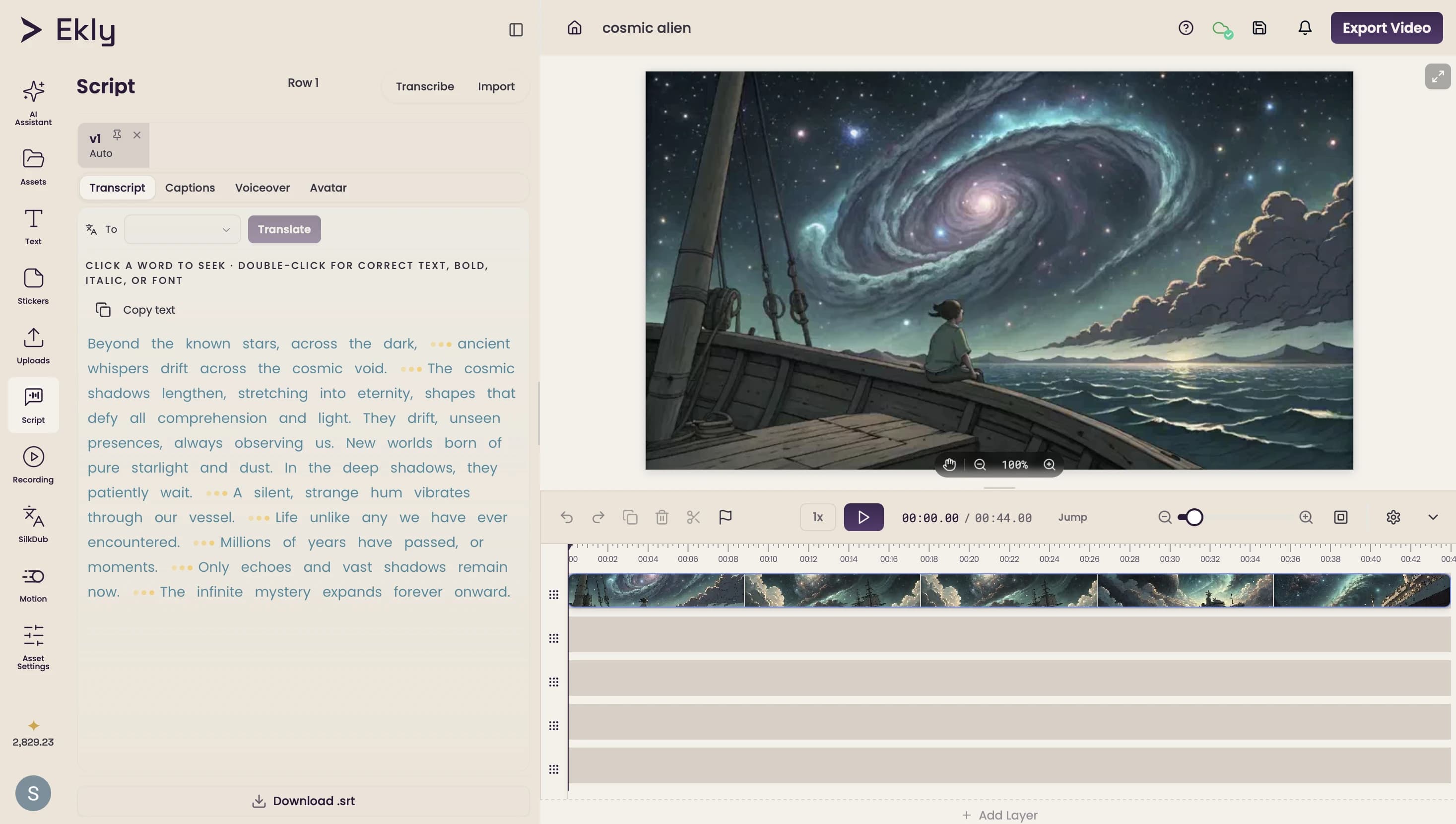
Transcribe any layer
Pick any video or audio layer and hit Transcribe — ElevenLabs Scribe v2 and Azure OpenAI gpt-4o-transcribe turn it into a word-level transcript in seconds.
- 02
Translate to any language
Translate the transcript in a click, so you can caption and reach audiences in every market you publish to.
- 03
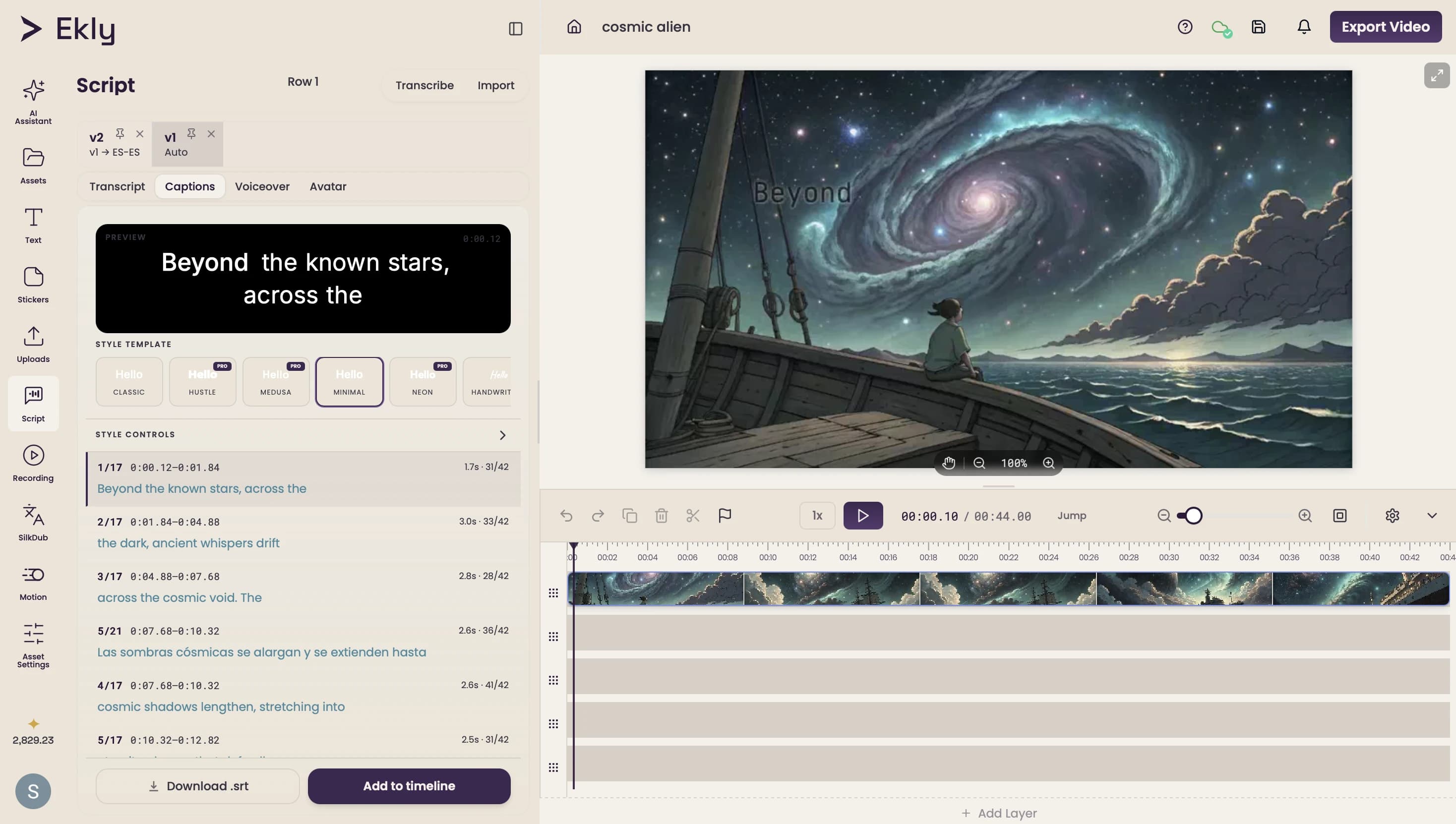
Caption & export
Generate styled, on-brand captions and burn them into a 4K render — or export the transcript as SRT/VTT to use anywhere.
Why it actually works
Studio-grade captions, without the busywork
Transcribed in seconds — word-perfect
Pick any video or audio layer and hit Transcribe — ElevenLabs Scribe v2 and Azure OpenAI gpt-4o-transcribe turn it into a word-level, perfectly-timed transcript in seconds. No manual SRT sync, no off-by-a-second drift, no re-typing.
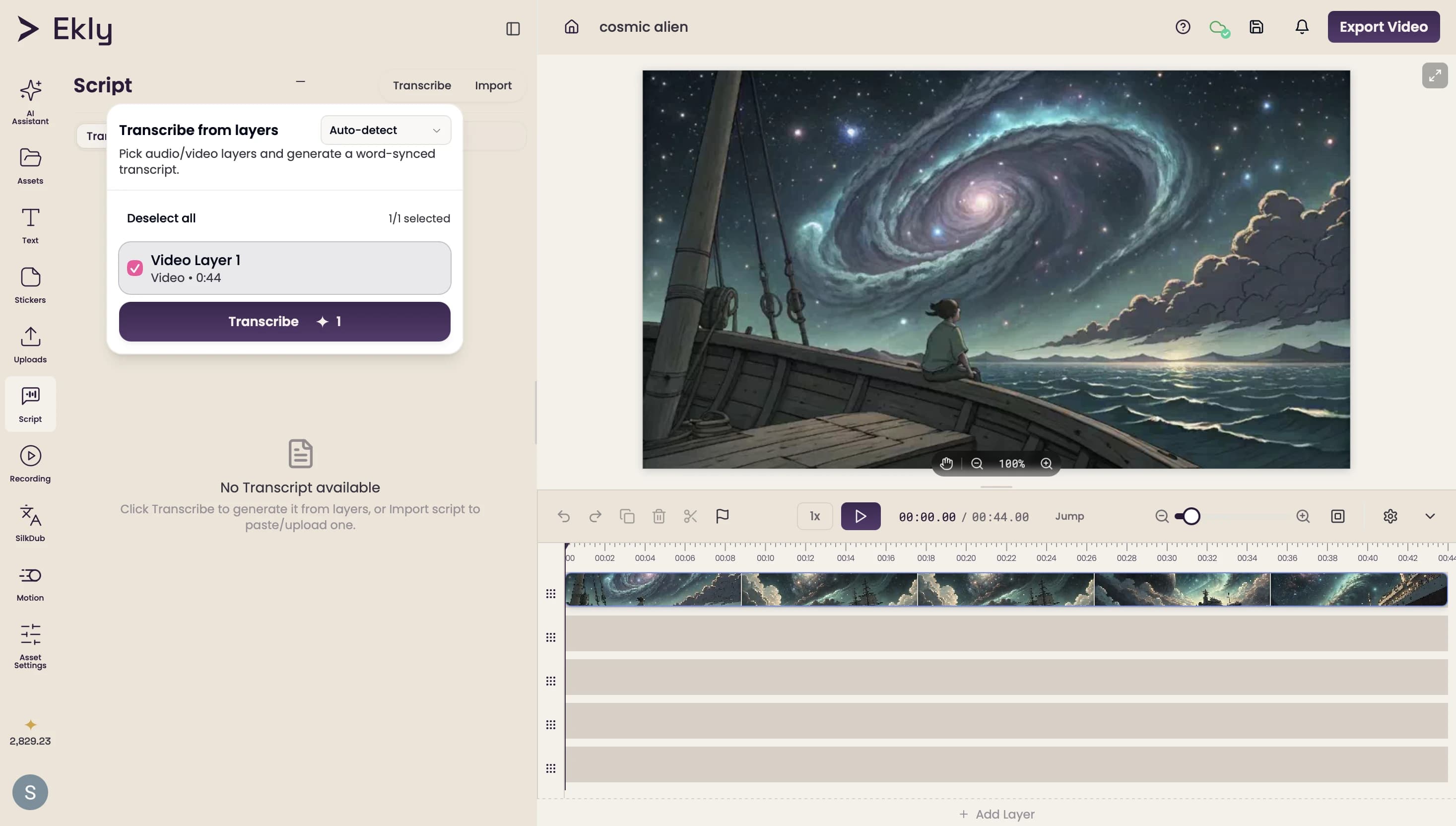
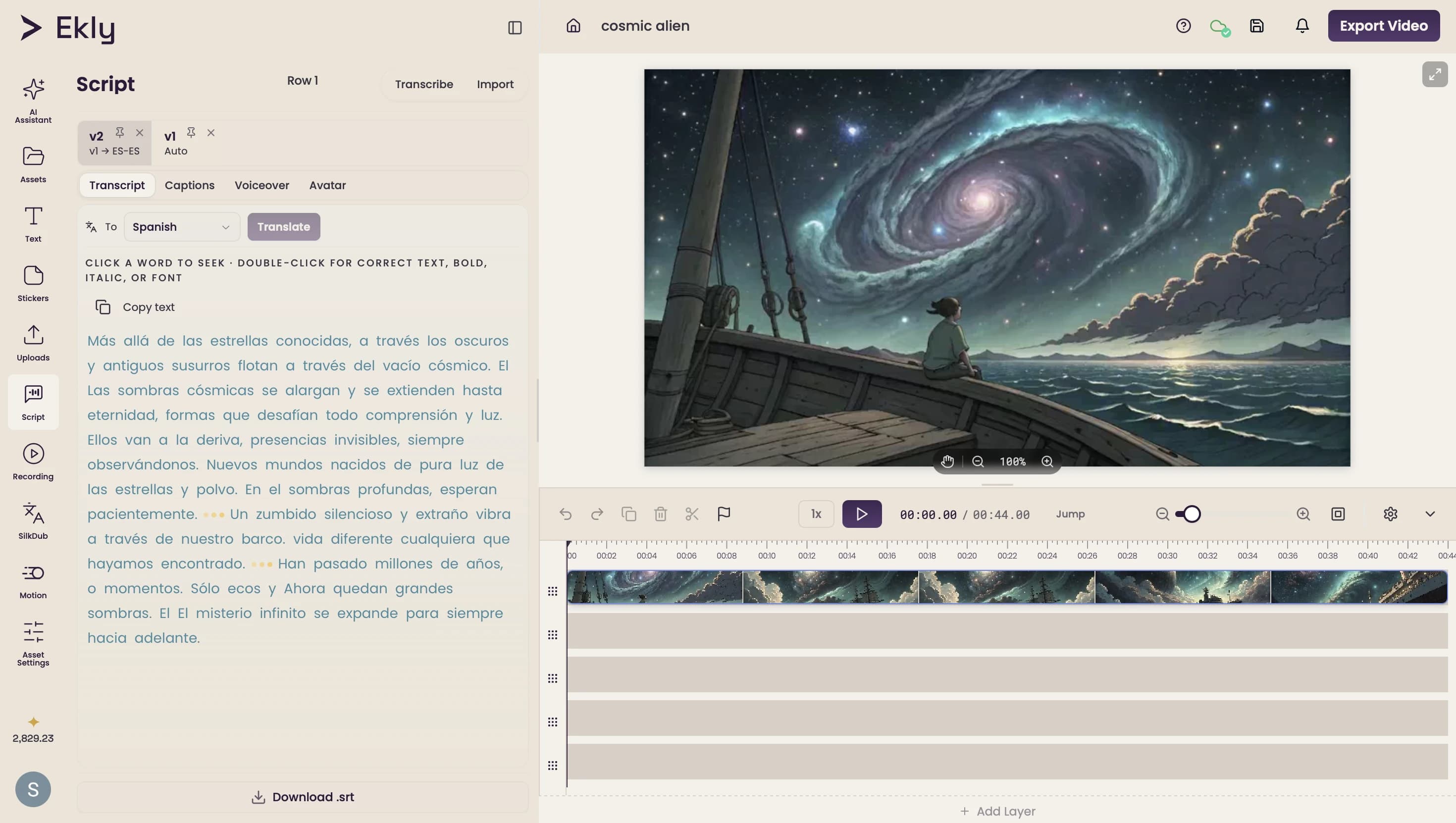
Translate to any language
Pick a target language and Ekly translates your transcript in a click — so one recording can caption and reach audiences in every market you publish to.
Styled captions, made for your channel
Turn the transcript into on-brand captions — start from a preset (Classic, Neon, Hustle), tune fonts, colors, size, placement, and the word-by-word highlight, then burn them into a clean 4K render.
One studio, 50+ models
Built on the best AI, orchestrated for you
Powered by ElevenLabs Scribe v2 · Azure OpenAI · Google Gemini · fal.ai · Remotion
Why Ekly, not the alternatives
Captions in the same place you edit and export.
Manual captioning is slow and error-prone. Standalone caption tools mean another export and another upload. Ekly transcribes, styles, and burns in — all in one editor.
The old way
- Transcribing and timing every line by hand
- Off-by-a-second SRT sync and typos to fix
- Bouncing between a separate caption tool and your editor
- Re-typing the transcript to repurpose it
Ekly Auto-Captions
- Accurate, perfectly-synced captions in seconds
- Word-level timing from ElevenLabs Scribe v2 & gpt-4o-transcribe
- Style, edit, and burn in — all in one editor
- Editable transcript & SRT/VTT export to repurpose
Security & ownership
Private, encrypted, and yours to keep.
Encrypted end to end
Your work is encrypted in transit (TLS) and at rest, hosted on AWS and Google Cloud.
Enterprise auth, SOC 2
Secure sign-in via WorkOS, with SSO & SAML and SOC 2 compliance available on Enterprise.
You own your content
Full commercial rights to everything you create — ads, client work, products, whatever you ship.
Your data, your call
Export or delete your data anytime — removed within 30 days. Card details are never stored (handled by Stripe).
Before you start
Questions, answered
Yes — create an account and get free credits to caption your first videos. No credit card required to start; you only pay when you need more renders.
Stop losing mute viewers. Start captioning.
Drop in a video and walk away with accurate, on-brand captions and a full transcript — in seconds.