

AI Director Mode
Direct your video, scene by scene.
Director Mode turns your direction into footage — one shot at a time. Write each scene in plain language, reference your own images, clips, and audio, and generate scene-by-scene AI video with full creative control. Then finish it in the Ekly editor.
Used by teams at




The bottleneck
Good video is still slow, expensive, and gatekept.
You have the idea.
Turning it into something watchable means a script, a shoot, voiceover, footage, music, captions, and edits — or a budget and a month you don't have.
So it sits in a doc.
Competitors post daily. You post when you can afford to. Every week you don't ship is reach, trust, and revenue you never get back.
Director Mode hands you the chair.
Build your video shot by shot — describe each scene, reference your own assets, and generate the footage. You direct; Ekly produces — scene by scene.
How Director Mode works
Build it shot by shot — you're the director
Three steps from a blank slate to a directed film.
- 01
Add a scene
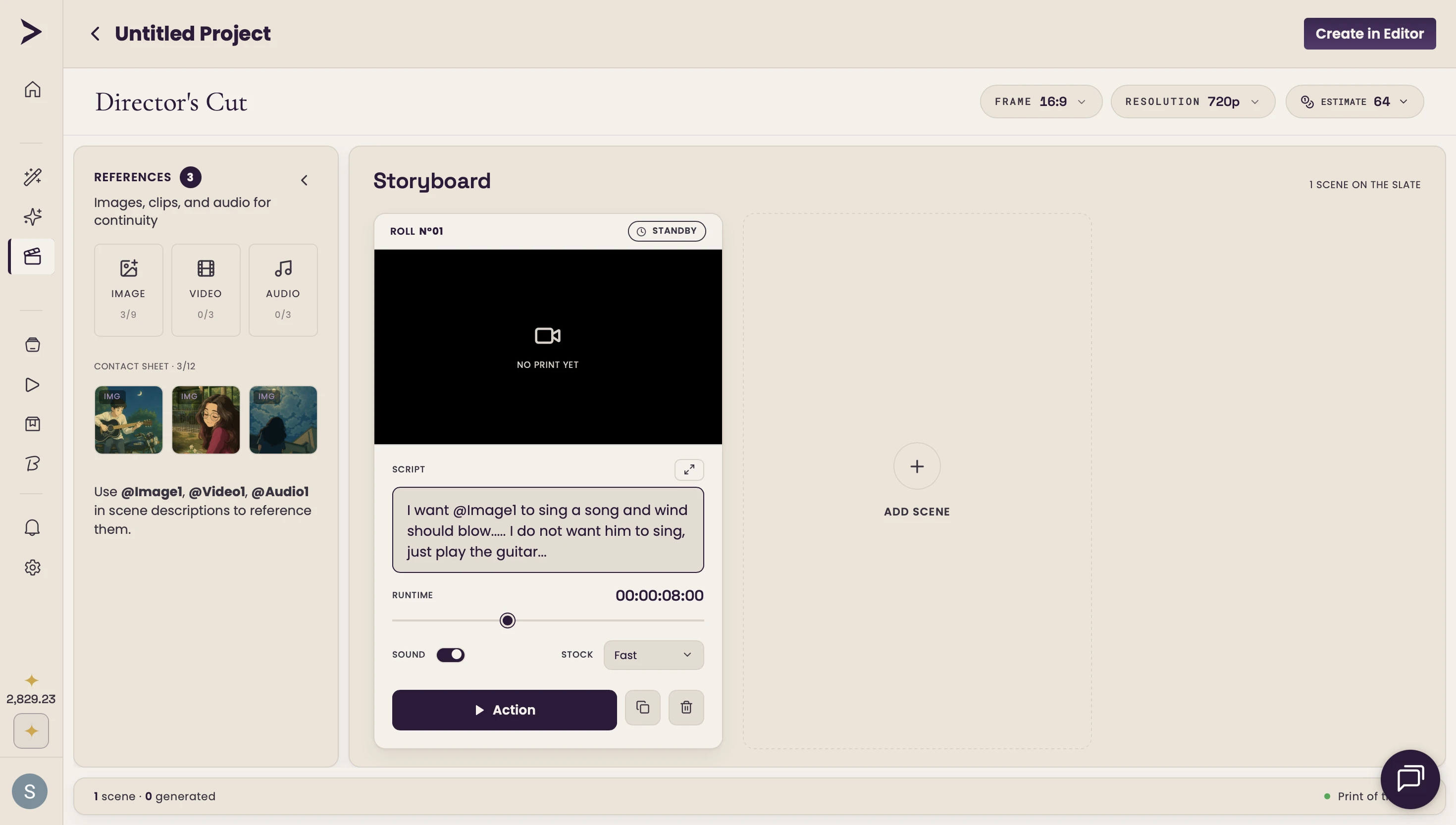
Add a scene and describe the shot in plain language. Reference your own images, clips, and audio with @Image1, @Video1, @Audio1. Pick a visual style and aspect ratio.
- 02
Direct each shot
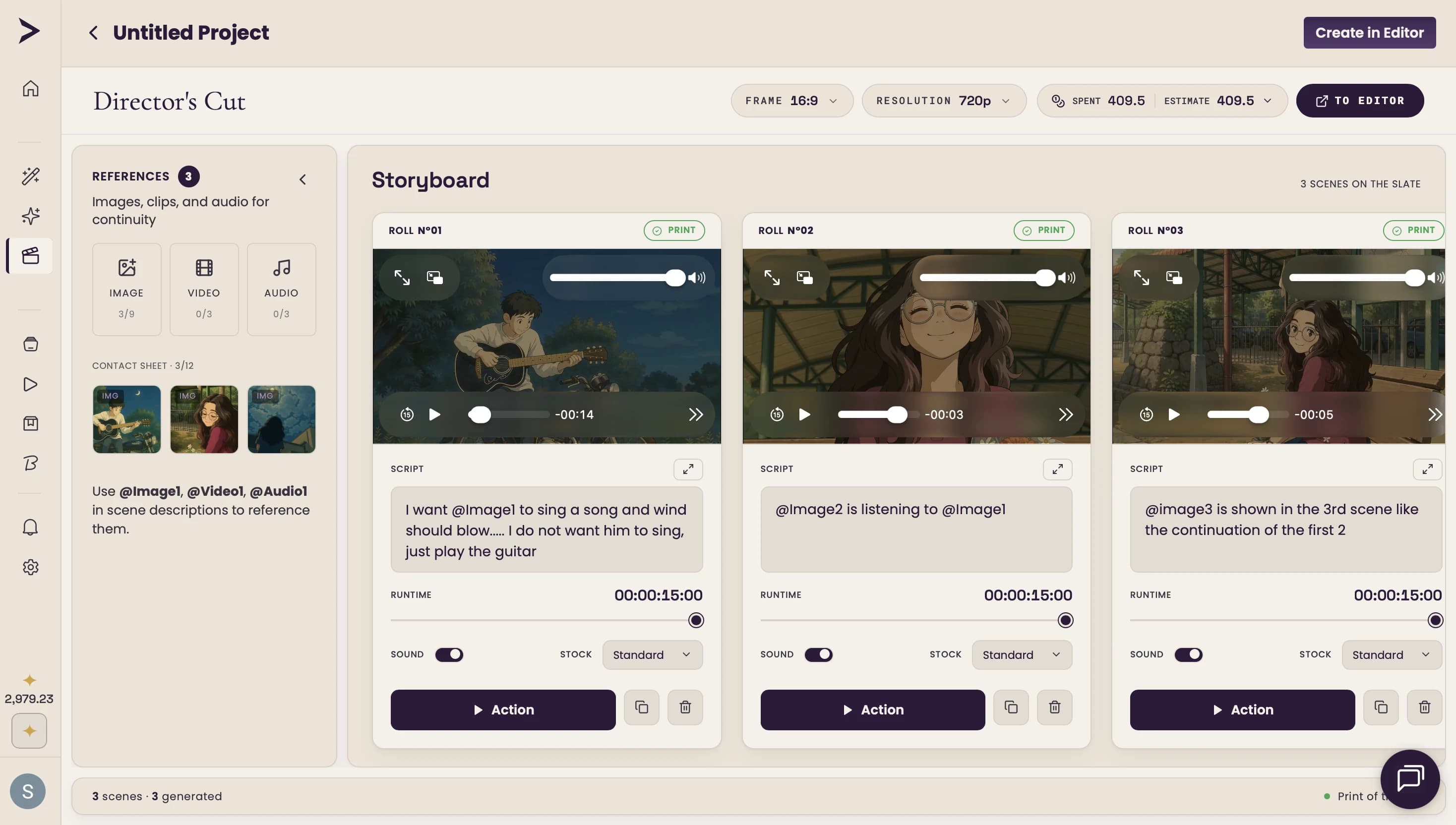
Hit Action to generate that scene. Refine the description, swap a reference, change the look, and re-roll until it's right — one shot at a time.
- 03
Finish in the editor
Open your storyboard in the Ekly editor to add voiceover, captions, and music — then export your finished video, ready to post.
Why it actually works
A real director's workflow — minus the production
You write every shot — and bring your own assets
Describe each scene in plain language and pull in your own images, clips, and audio as references with @Image1, @Video1, @Audio1. You're the director — not a spectator watching a black box.
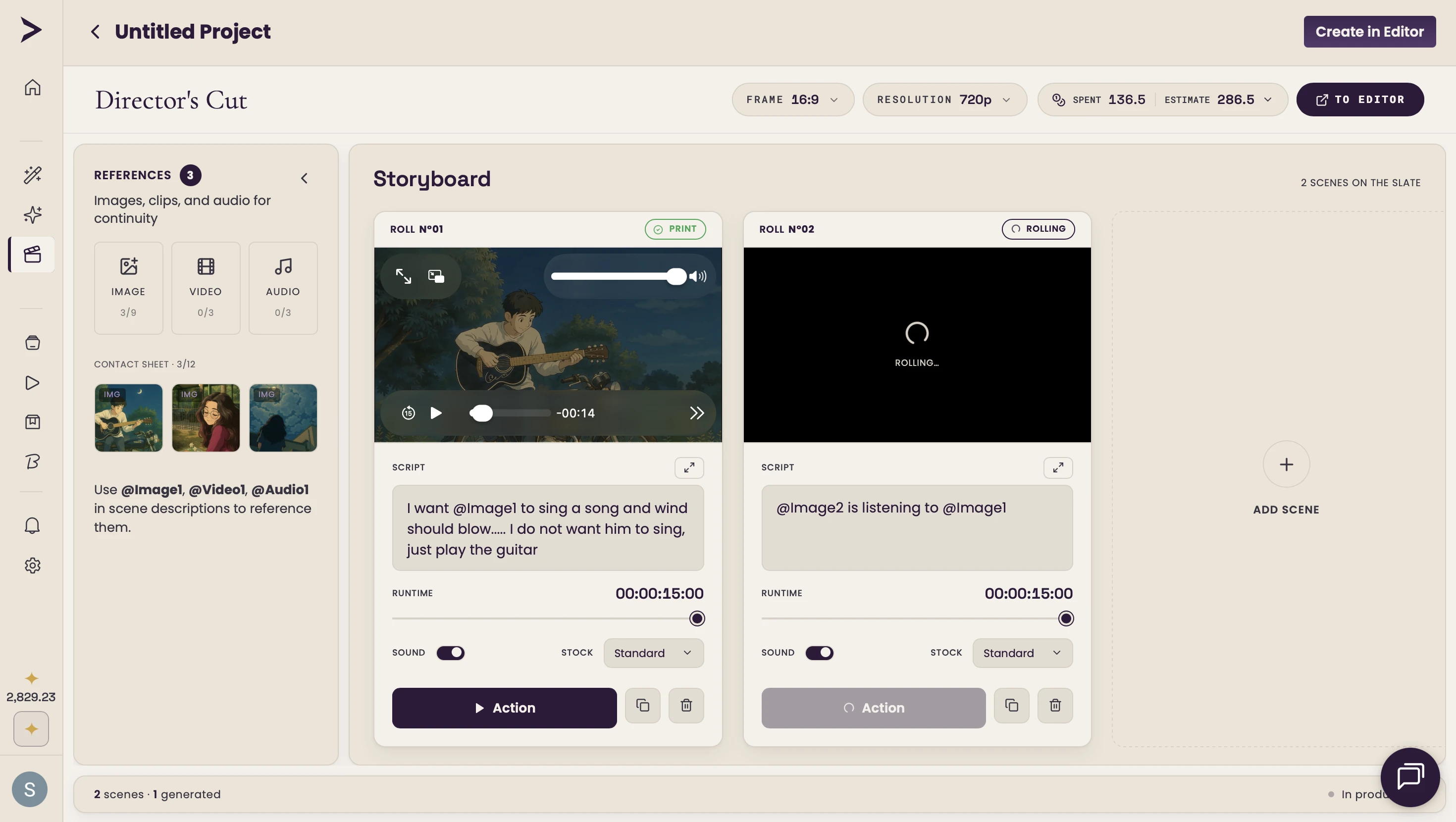
Generate scene by scene, keep what works
Generate each shot with one click, then refine and re-roll any scene without touching the rest. Print the takes you love and keep going — you keep full creative control, scene by scene.
Every project, ready to finish in the editor
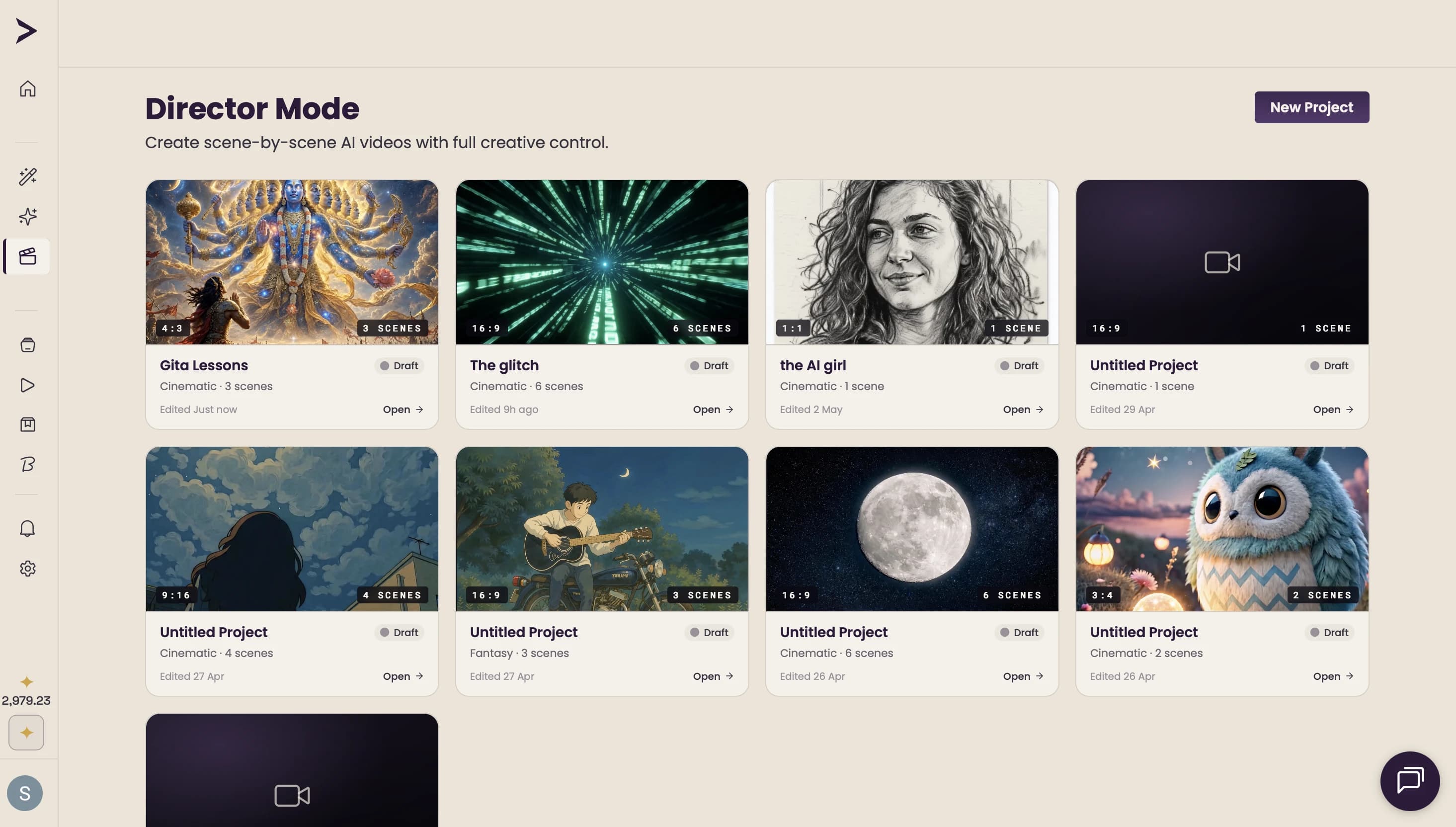
Your scene-by-scene projects live in one place. Open any one in the full Ekly editor to add voiceover, captions, and music, then export — from first shot to final cut.
One studio, 50+ models
Built on the best AI, orchestrated for you
Powered by ElevenLabs · fal.ai · Google Gemini · Anthropic Claude · Deepgram · Remotion
Why Ekly, not the alternatives
The control of a studio. None of the production.
Filming is slow and expensive. Generic text-to-video gives you one clip with no story and no control. Director Mode gives you a storyboard you direct, shot by shot.
The old way
- Weeks of shooting, voiceover, and editing
- Crews, gear, and a budget per video
- A learning curve before you ship anything
- Generic AI clips with no script or scene control
Ekly Director Mode
- Direct every shot in plain language
- Free to start — pay per render, not per shoot
- Reference your own images, clips & audio per scene
- Generate scene by scene, then finish in a full editor
Security & ownership
Private, encrypted, and yours to keep.
Encrypted end to end
Your work is encrypted in transit (TLS) and at rest, hosted on AWS and Google Cloud.
Enterprise auth, SOC 2
Secure sign-in via WorkOS, with SSO & SAML and SOC 2 compliance available on Enterprise.
You own your content
Full commercial rights to everything you create — ads, client work, products, whatever you ship.
Your data, your call
Export or delete your data anytime — removed within 30 days. Card details are never stored (handled by Stripe).
Before you start
Questions, answered
Yes — create an account and get free credits to generate your first videos. No credit card required to start; you only pay when you need more renders.
Direct your next video, shot by shot.
Stop letting good ideas die in a doc. Build it scene by scene, keep full creative control, and finish it in the editor.